The Gallery
ERAS photo examples.
Annotated.
Six professional ERAS application photos shot to AAMC specification, plus the eight things that get a DIY photo rejected. Look at the spec, then look at the photo.
What an ERAS photo should look like
All six examples below are shot to AAMC spec — 2.5×3.5 inches, 375×525 px at 150 dpi, ≤ 150 KB JPEG, plain light background. Wardrobe is varied to show the range of what works.
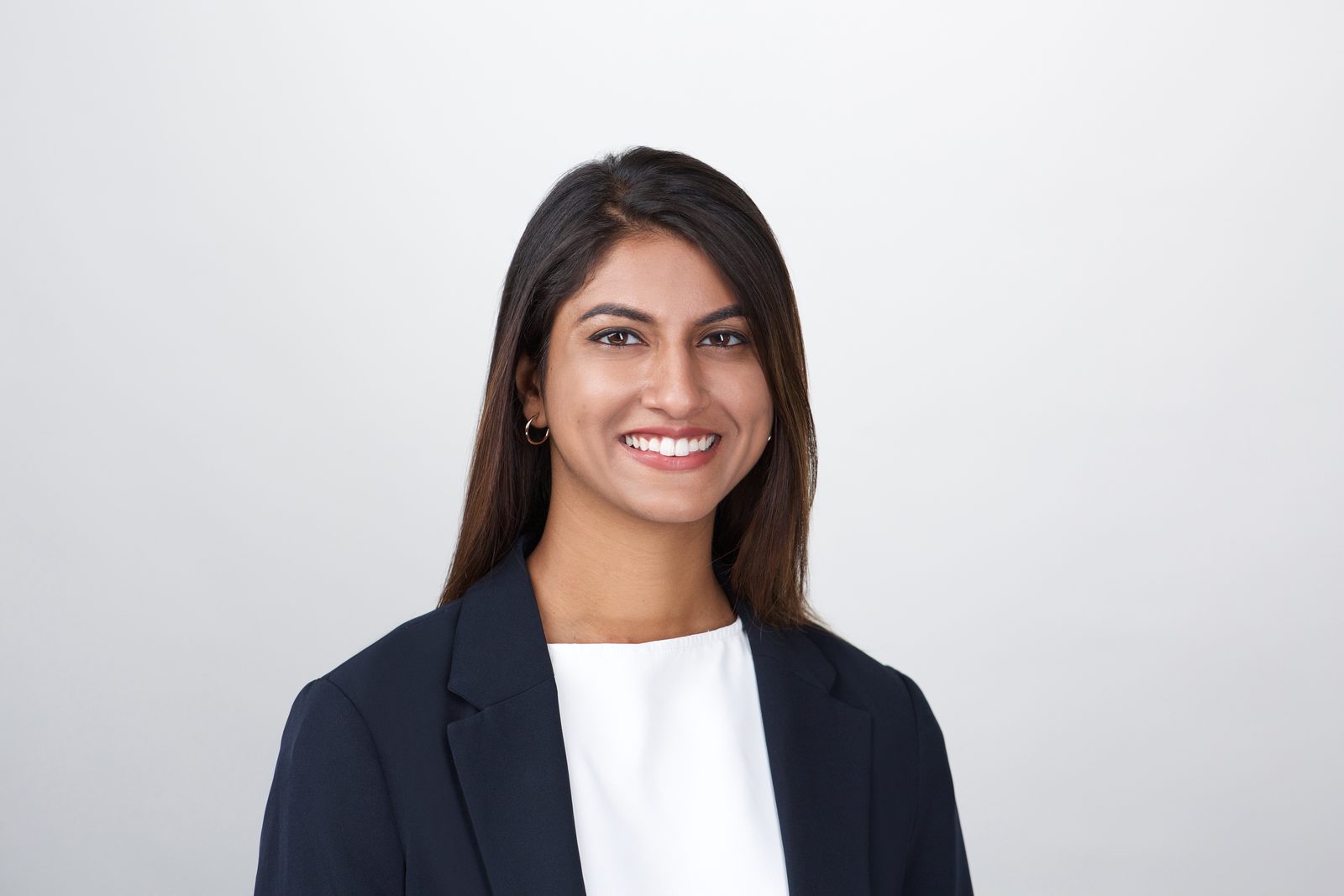
Navy blazer, half-smile.
The default. Dark navy reads as professional, photographs cleanly against the light gray seamless, leaves the face as the focal point.
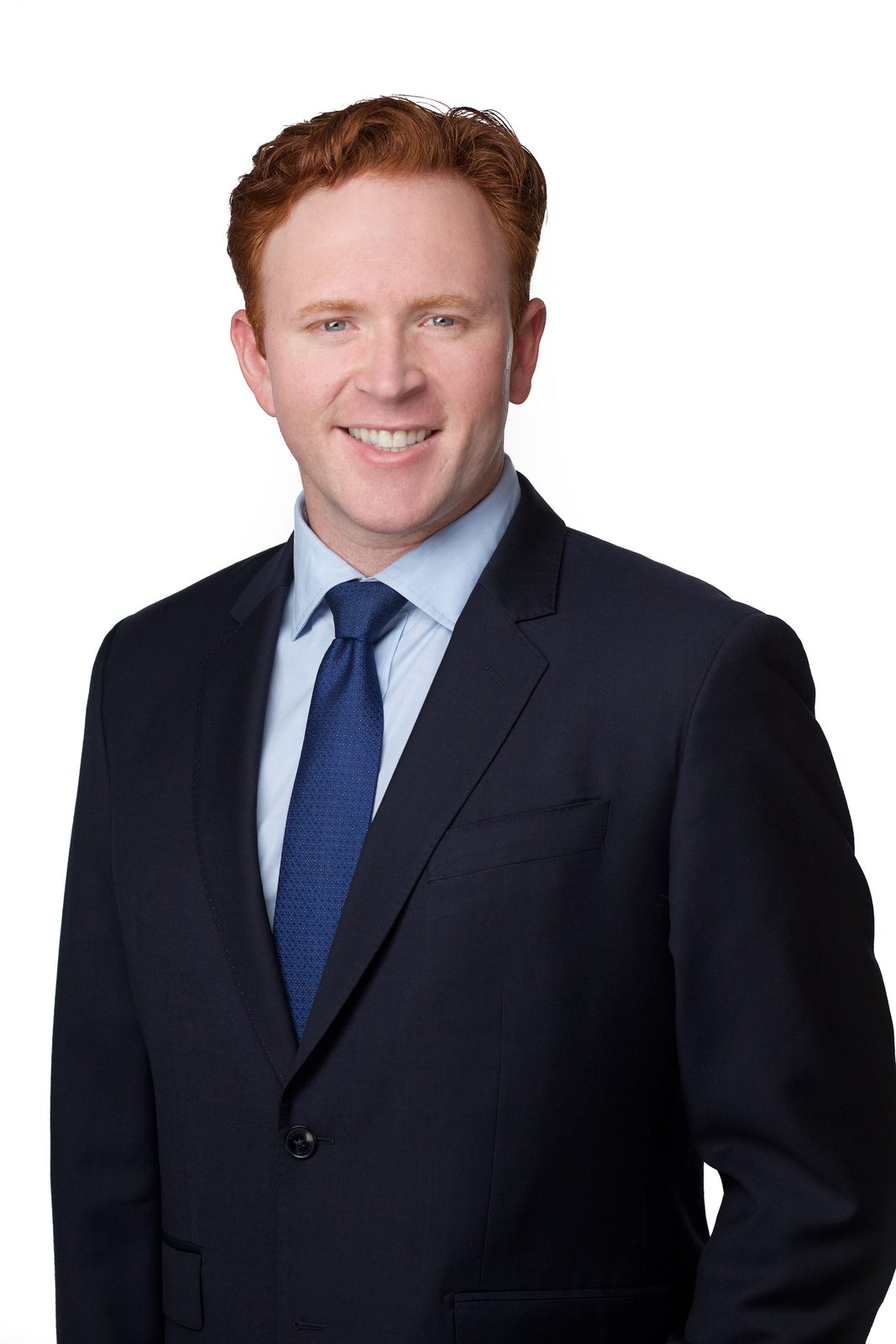
Suit and tie, direct gaze.
Navy suit, blue tie, eyes square to camera, a contained smile. Reads confident without tipping into stern — the register procedural fields like EM tend to favor.

Cardigan over a tee — no blazer.
A blazer isn't required. A clean knit cardigan over a solid dark top photographs as professional when the lighting and composition do the heavy lifting. The fuller smile lands warm — a useful register for Family Medicine.
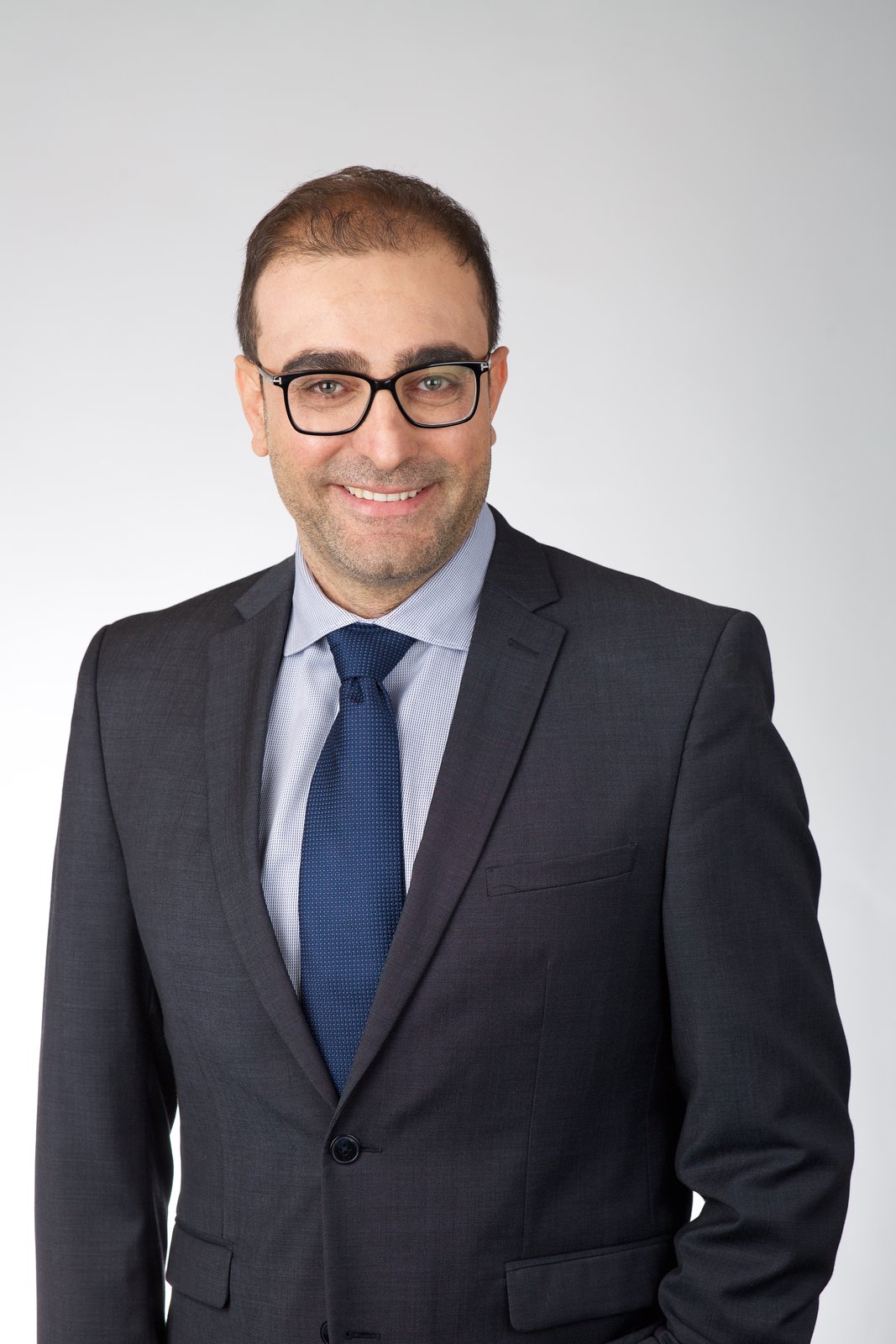
Glasses, no glare.
Glasses are fine when the angle and lighting are managed. The photographer adjusts the key light off-axis to keep the lenses clean. Anti-reflective coating helps; without it, expect two or three frames as backup.
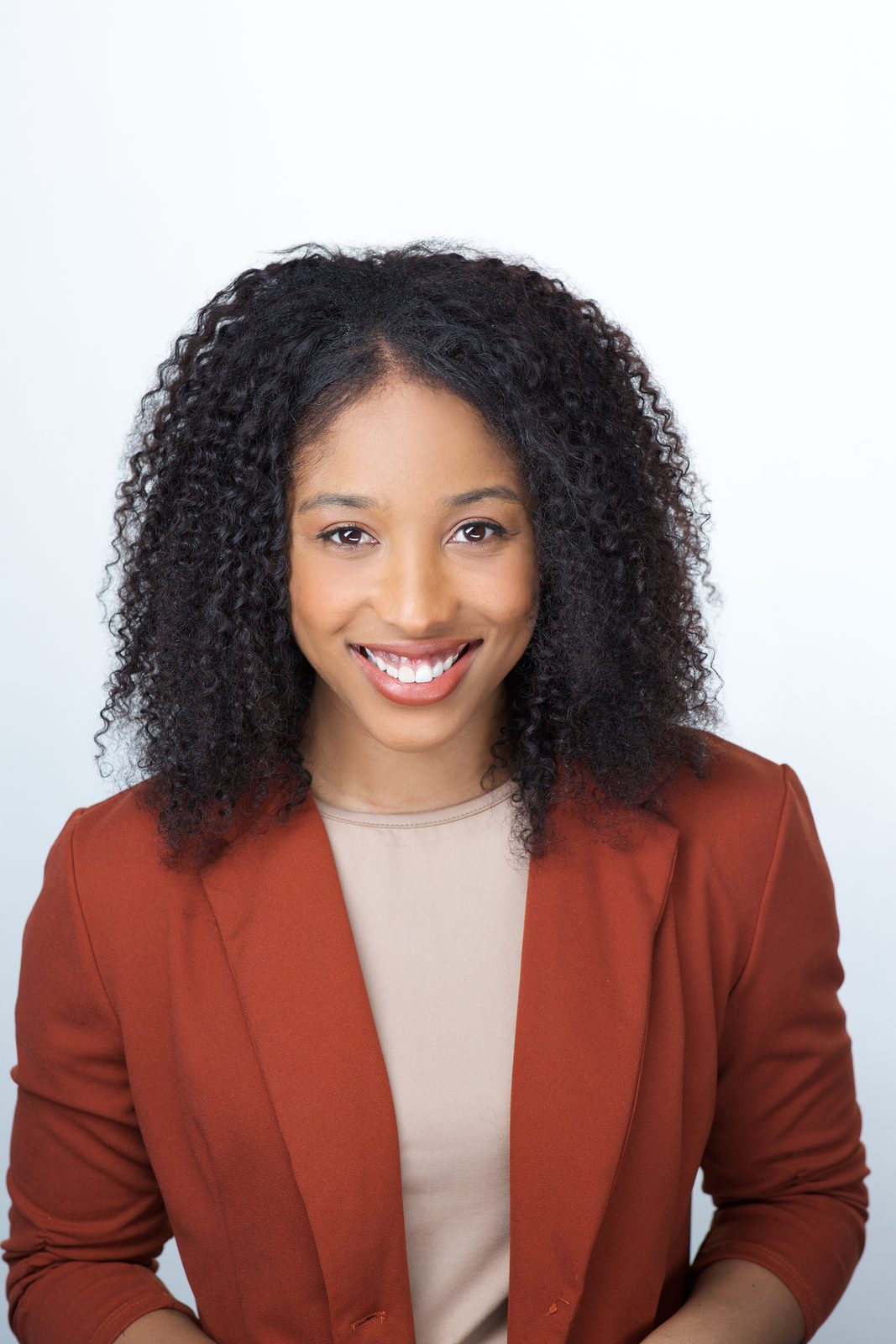
Warm tone, open smile.
A jacket color outside the navy/charcoal default still works — a softer terracotta sits comfortably on the light gray seamless because the value stays in the mid-tones. The open smile reads approachable, a register Pediatrics tends to reward.
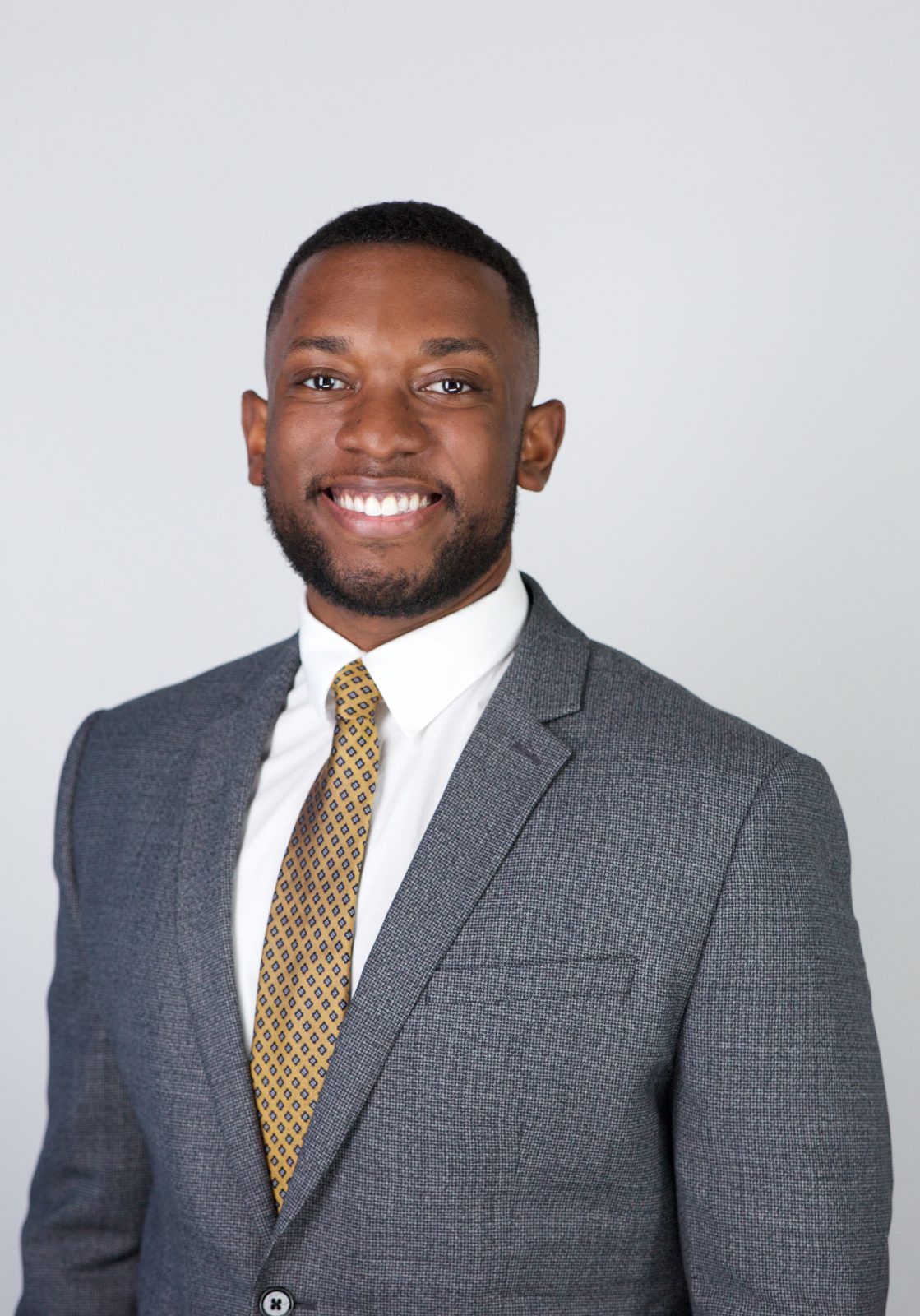
Structured suit, composed look.
Surgical specialties skew toward a structured suit and a composed, focused read. A small-pattern tie is fine — tight repeats hold up under the 150 KB compression where bold florals or stripes start to break apart.
What gets rejected
The eight failure modes MyERAS flags on upload. None of these are photogenic problems — they're specification problems. A professional studio eliminates all eight before delivery.
-
File over 150 KB
The most common rejection. Phone photos are 2–4 MB raw. The fix is a JPEG re-export at ~65% quality — but most applicants don't have an editor that lets them target file size precisely. The studio export is sub-150 KB by default.
-
Wrong aspect ratio
Square (1:1) and standard photo crops (4:3, 3:4) all fail. ERAS requires 5:7 — 2.5 × 3.5 inches. Phone screenshots are almost never 5:7.
-
Dark or patterned background
Bookshelves, hospital corridors, brick walls, painted walls with visible texture — the AAMC spec is "plain light background," and any visible pattern fails review.
-
Head not centered
Face should sit in the upper-middle third of the frame. If the head is off-center horizontally or the eye line is too high or too low, the crop fails.
-
Face too small in the frame
This is a head-and-shoulders portrait, not a half-body. Chin-to-top-of-head should fill roughly 60% of the vertical frame.
-
Sunglasses, hats, or face coverings
Clear prescription glasses are fine. Tinted lenses, sunglasses, or hats that shadow the face fail. Religious head coverings are accepted when the face is fully visible from forehead to chin.
-
Screenshot instead of a file
Cropping via the phone's screenshot tool strips metadata in a way some validators reject. Save the original JPEG/PNG and crop in an actual editor.
-
Wrong orientation metadata
Some phones save photos rotated 90°. MyERAS reads the metadata flag, not the visual orientation, so a "right-side-up" looking photo can still upload sideways. Re-save in an editor that flattens the rotation.
Test your photo before you upload
The free ERAS photo spec checker runs all eight checks in the browser. Drop a JPEG, get a report — no upload to a server, no email required.
Ready to shoot?
Three studios in two cities, all delivering the AAMC-spec file the same day. Times Square · Wall Street · Downtown Miami. Book a session on the home page.